Table of Contents (Jump to section)
Every software engineer who has written JavaScript for more than a few days has experienced the dreaded, sinking feeling of opening the browser console or server log and seeing:
TypeError: Cannot read properties of undefined (reading 'toUpperCase')
TypeError: user.addresses[0] is undefined
TypeError: calculateTotal is not a function
JavaScript is a dynamic, loosely typed language. It evaluates your code only when it runs in a browser or Node.js process. If you misspell a variable name (user.emial instead of user.email), pass an integer to a function expecting an array, or assume an API returned a user object when it actually returned an error payload, JavaScript will not complain during development—it will silently fail at 2:00 AM on your production server when real customers click checkout.

In 2026, TypeScript is no longer an optional accessory for frontend developers—it is the universal industry standard for modern web engineering. By adding a compile-time static type system on top of standard JavaScript, TypeScript identifies logic errors, typos, and broken contracts as you type, before a single line of code reaches your users. In this comprehensive beginner-to-intermediate guide, we take you from zero to confident mastery: understanding structural typing, interfaces, discriminated unions, generics, and how to bridge static compile-time safety with runtime validation using Zod.
---1. The Mental Model: Structural Typing vs. Nominal Typing
Before writing a single type annotation, developers coming from classical languages like C#, Java, or C++ must understand TypeScript's core philosophy: Structural Typing (Duck Typing).
In nominal languages like Java, two classes with identical fields are completely incompatible unless they explicitly share an inheritance hierarchy:
// Java (Nominal Typing):
class User { public String name; }
class Customer { public String name; }

// Compiler Error! Even though fields match, types have different names.
User u = new Customer();
In TypeScript, types are evaluated purely based on their shape (structure). If object A possesses all the properties required by type B, TypeScript accepts it without question:
// TypeScript (Structural Typing):
interface Identifiable {
    id: string;
}

function printId(item: Identifiable) {
    console.log(`Resource ID: ${item.id}`);
}

// Any object with an 'id' property matches, even with extra properties!
const product = { id: 'prod_981', title: 'Mechanical Keyboard', price: 149 };
printId(product); // ✓ Perfectly Valid! product has an 'id' string.---The Golden Rule: TypeScript asks: 'Does this value have the properties and methods I need?' It does not care what class created it, what file it originated in, or what other surplus properties it carries.
2. The Foundation: Primitives and Type Inference
TypeScript includes all standard JavaScript primitive types: string, number, boolean, null, undefined, bigint, and symbol.
Do Not Over-Annotate: Trust Type Inference
A common beginner mistake is explicitly annotating every single variable:
// ✗ Unnecessary boilerplate:
let username: string = 'Hadi';
let totalVisits: number = 42;
let isSubscribed: boolean = true;

// ✓ Idiomatic TypeScript:
let username = 'Hadi';          // TypeScript automatically infers string!
let totalVisits = 42;           // TypeScript automatically infers number!
let isSubscribed = true;        // TypeScript automatically infers boolean!
TypeScript's type inference engine is exceptionally intelligent. You should only provide explicit type annotations when:
- Declaring function parameters (where TypeScript cannot guess caller intent).
- Initializing an empty variable that will be populated later (e.g.,
let activeUser: User | null = null;). - Authoring library APIs, shared contracts, or complex return types.
3. Interfaces vs. Type Aliases: What Should You Use?
When defining the shape of an object in TypeScript, you have two primary tools: interface and type.
// Defining a shape with an Interface:
interface UserProfile {
    id: string;
    email: string;
    displayName: string;
    avatarUrl?: string; // Optional property (can be undefined)
    readonly createdAt: Date; // Cannot be modified after creation
}

// Defining a shape with a Type Alias:
type ProductRecord = {
    sku: string;
    name: string;
    priceInCents: number;
};| Feature | interface |
type Alias |
|---|---|---|
| Primary Purpose | Defining contracts for objects, dictionaries, and classes | Defining any type: objects, primitives, unions, tuples, functions |
| Extensibility | Extends via extends syntax; supports declaration merging |
Combines via intersection (&); cannot be re-opened |
| Unions & Primitives | Cannot declare primitive aliases or union types | Fully supports unions (type Role = 'admin' | 'user') |
| Best Practice Rule | Default to interface for domain entities and public APIs |
Use type for unions, computed types, tuples, and function signatures |
4. The Secret Weapon: Literal Types and Discriminated Unions
Most programming languages restrict variables to broad categories like string or int. TypeScript allows you to treat exact literal values as individual types:
// String Literal Types:
type DeliveryStatus = 'pending' | 'shipped' | 'delivered' | 'cancelled';

let orderStatus: DeliveryStatus = 'pending'; // ✓ Valid
orderStatus = 'refunded'; // ✗ Compiler Error! 'refunded' is not assignable to DeliveryStatus.
Discriminated Unions (The Tagged State Pattern)
Discriminated unions are the single most powerful architectural pattern in TypeScript. Imagine designing the state for a network API call. A naive developer creates a single messy interface with optional properties:
// ✗ Fragile, contradictory state design:
interface AsyncState {
    isLoading: boolean;
    data?: User;
    error?: Error;
}
// What does it mean if isLoading is true, but error is ALSO populated? Contradiction!
With a Discriminated Union, we define every valid state as a separate interface sharing a common literal discriminator property (e.g., status):
// ✓ Elegant, unrepresentable invalid states:
interface LoadingState {
    status: 'loading';
}

interface SuccessState {
    status: 'success';
    data: User;
}

interface ErrorState {
    status: 'error';
    error: Error;
}

type ApiResponse = LoadingState | SuccessState | ErrorState;

// TypeScript automatically narrows the type based on the discriminator:
function renderUI(response: ApiResponse) {
    switch (response.status) {
        case 'loading':
            return 'Spinner...';
        case 'success':
            // TypeScript KNOWS response.data exists here!
            return `Welcome, ${response.data.name}`;
        case 'error':
            // TypeScript KNOWS response.error exists here!
            return `Failed: ${response.error.message}`;
    }
}5. Demystifying Generics: Code That Works Across Types
When beginners encounter angle brackets (<T>), they often freeze. But Generics are simply variables for types. Just as a function takes a value argument to compute a result, a generic takes a type argument to produce a tailored type.
Why Not Just Use any?
// Bad: Using 'any' destroys type safety
function getFirstItemAny(items: any[]): any {
    return items[0];
}
const result = getFirstItemAny(['apple', 'banana']); // result is typed as 'any'!
result.toFixed(); // Runtime crash! Strings do not have toFixed().
The Generic Solution: Preserving Identity
// Good: Using a Generic type parameter <T>
function getFirstItem<T>(items: T[]): T | undefined {
    return items[0];
}

// TypeScript captures the type automatically:
const firstNumber = getFirstItem([10, 20, 30]);      // Type: number | undefined
const firstString = getFirstItem(['alpha', 'beta']); // Type: string | undefined

// Constraining Generics with 'extends':
interface HasLength {
    length: number;
}

function logLength<T extends HasLength>(item: T): void {
    console.log(`Length: ${item.length}`);
}

logLength('Hello World'); // ✓ Strings have .length
logLength([1, 2, 3]);     // ✓ Arrays have .length
logLength(42); // ✗ Compiler Error! Numbers have no .length6. The Danger Zone: Type Erasure & unknown vs. any
A crucial reality that every web engineer must internalize is Type Erasure:
Types Do Not Exist at Runtime: When your TypeScript code compiles (via
tsc, Vite, esbuild, or SWC), 100% of your interfaces, type aliases, and generic brackets are stripped away. The browser or Node.js runtime executes plain JavaScript. It has zero knowledge of your TypeScript types.
The Golden Rule of Safety: Replace any with unknown
any: Completely disables the TypeScript type checker. It tells the compiler: 'Trust me, let me do whatever I want.' Usinganyreintroduces all the silent runtime crashes of plain JavaScript.unknown: Tells the compiler: 'I do not know what this value is yet, so forbid me from touching it until I verify it.'
function processExternalPayload(payload: unknown) {
    // payload.toUpperCase(); // ✗ Compiler Error! 'payload' is of type 'unknown'.

    // Type Narrowing via typeof:
    if (typeof payload === 'string') {
        console.log(payload.toUpperCase()); // ✓ TypeScript safely narrows payload to string!
    } else if (typeof payload === 'number') {
        console.log(payload.toFixed(2));    // ✓ TypeScript safely narrows payload to number!
    }
}7. End-to-End Type Safety: Bridging Static Types with Zod
Because TypeScript types disappear at runtime, what happens when your frontend makes an HTTP fetch() request to a remote backend API? You cannot guarantee that the server returned the exact JSON properties you expected.
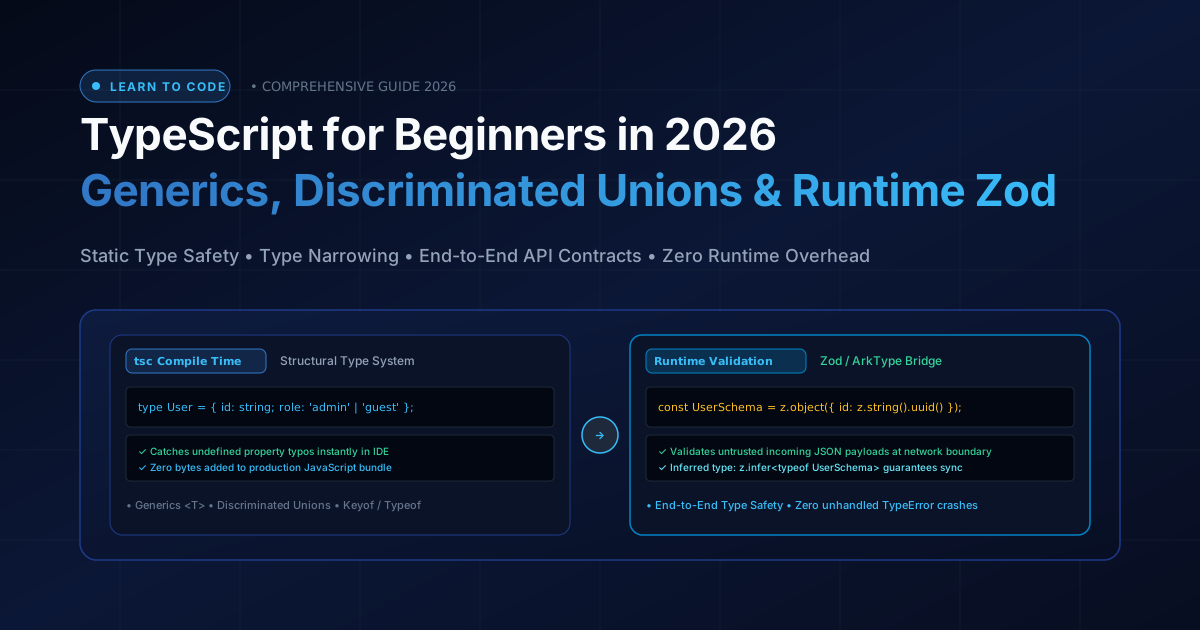
This is where Zod enters the architecture. Zod is a TypeScript-first schema declaration and validation library. It allows you to declare a schema once, validate external untrusted JSON at runtime, and automatically infer the TypeScript type:
import { z } from 'zod';

// 1. Declare the runtime validation schema
export const UserApiResponseSchema = z.object({
    id: z.string().uuid(),
    username: z.string().min(3),
    email: z.string().email(),
    role: z.enum(['admin', 'member', 'guest']),
    verifiedAt: z.string().datetime().nullable(),
});

// 2. Automatically infer the TypeScript type from the schema!
export type UserApiResponse = z.infer<typeof UserApiResponseSchema>;

// 3. Typesafe HTTP Fetch Function
async function fetchUserProfile(userId: string): Promise<UserApiResponse> {
    const res = await fetch(`/api/users/${userId}`);
    if (!res.ok) throw new Error('Network error');

    const rawJson = await res.json();

    // safeParse validates the payload at the network boundary!
    const parsed = UserApiResponseSchema.safeParse(rawJson);
    if (!parsed.success) {
        console.error('API Contract Violation:', parsed.error.format());
        throw new Error('Invalid server response format');
    }

    // parsed.data is 100% guaranteed to match UserApiResponse!
    return parsed.data;
}
By placing Zod at the boundaries of your application (incoming network webhooks, HTTP requests, form submissions, and database query results), you eliminate 100% of runtime TypeError crashes while enjoying total static autocompletion across your entire codebase.
Frequently Asked Questions (FAQ)
Does using TypeScript slow down my production website or add extra megabytes to the bundle?
No. TypeScript is purely a compile-time tool. During your production build step, all type annotations, interfaces, and type aliases are completely stripped away. The resulting JavaScript emitted to the browser is identical in performance and size to hand-written JavaScript.
What is the difference between null and undefined in TypeScript?
undefined means a variable has been declared but has not yet been assigned a value (or an optional property was not provided). null is an intentional assignment representing the explicit absence of any object or value. With the strictNullChecks compiler flag enabled, TypeScript treats them as separate types and prevents you from accessing properties on either.
When should I use a TypeScript enum vs. a union of string literals?
In modern TypeScript (2026), string literal unions (e.g., type Theme = 'light' | 'dark' | 'system') are heavily preferred over numerical or string enums. TypeScript enums generate awkward runtime JavaScript helper objects and can create subtle type-mismatch bugs. Literal unions have zero runtime overhead, auto-complete seamlessly in all IDEs, and serialize cleanly to JSON.
What is the satisfies operator introduced in TypeScript?
The satisfies operator allows you to validate that an expression matches a type contract without forcing the variable to lose its specific inferred literal type. For example, const config = { color: 'red' } satisfies Record<string, string>; ensures all values are strings, but preserves the knowledge that config.color is specifically 'red', rather than just any generic string.